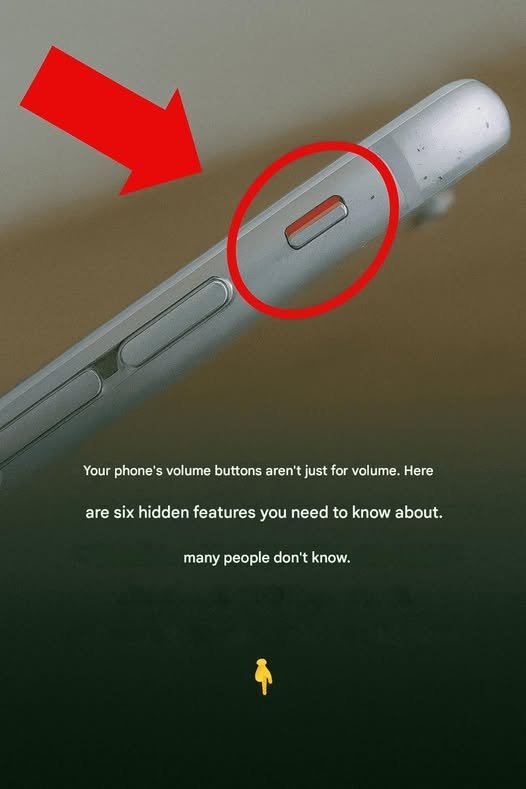
You’ve Been Using Your Phone for Years, But You May Not Know These Hidden Features
Smartphones have become part of everyday life. We use them for calls, messages, photos, banking, shopping, and entertainment. Yet many people use only a fraction of what their phones can actually do.
Here are some surprisingly useful features that often go unnoticed.
1. Turn the Keyboard Into a Trackpad
Editing text on a small screen can be frustrating.
On many smartphones, you can:
- Press and hold the spacebar
- Slide your finger across the keyboard
- Move the cursor precisely through text
This makes correcting typos much easier.
2. Use Your Phone as a Document Scanner
No scanner? No problem.
Most modern phones can:
- Scan receipts
- Capture documents
- Convert images into PDFs
- Enhance readability automatically
This feature is especially useful for forms and paperwork.
3. Silence Unknown Callers
Tired of spam calls?
Many phones offer settings that can:
- Silence unknown numbers
- Send suspicious calls directly to voicemail
- Reduce interruptions throughout the day
4. Measure Objects with Your Camera
Some smartphones include augmented reality tools that allow you to:
- Measure furniture
- Estimate room dimensions
- Check object sizes
It’s not as precise as a tape measure but can be surprisingly accurate.
5. Quickly Access the Camera
Great photo opportunities often disappear in seconds.
Most phones allow you to launch the camera instantly by:
- Double-pressing a button
- Swiping from the lock screen
- Using a shortcut gesture
No need to unlock the phone first.
6. Use Emergency SOS Features
One of the most important tools many people never set up.
Emergency features can:
- Contact emergency services
- Share your location with trusted contacts
- Display medical information on the lock screen
Take a few minutes to configure these settings.
7. Identify Songs Playing Around You
Ever hear a song and wonder what it is?
Many phones can identify music playing nearby and provide:
- Song title
- Artist name
- Album information
Often within seconds.
8. Save Battery with Built-In Optimization Tools
Your phone may already have features that:
- Limit background activity
- Reduce screen power usage
- Extend battery life during emergencies
These settings can significantly increase usage time.
9. Magnify Small Text Instantly
Most smartphones include accessibility tools that can turn the camera into a magnifier.
Useful for:
- Reading medication labels
- Examining small print
- Viewing serial numbers
10. Find Lost Devices
Many users don’t realize their phones include built-in tracking systems.
These services can help you:
- Locate a missing phone
- Play a sound remotely
- Lock the device
- Erase sensitive information if necessary
Setting this up before you lose your phone is essential.
11. Create Text Shortcuts
If you repeatedly type the same phrases, create shortcuts.
For example:
- Type “addr” → Full home address appears
- Type “eml” → Email address appears
This can save a surprising amount of time.
12. Use Voice Commands More Effectively
Voice assistants can do far more than answer questions.
Try asking your phone to:
- Set reminders
- Send messages
- Create calendar events
- Start navigation
- Make calls
Hands-free control can be both convenient and safer.
13. Check Which Apps Are Using Your Camera or Microphone
Modern phones often display indicators when:
- The microphone is active
- The camera is being used
Reviewing app permissions regularly helps protect privacy.
14. Pin Important Apps to Share Menus
Many phones let you pin frequently used contacts or apps.
This can make sharing photos and files much faster.
15. Schedule “Do Not Disturb”
Instead of manually silencing notifications every night, schedule automatic quiet hours.
Benefits include:
- Fewer sleep interruptions
- Reduced distractions
- Better focus during work hours
The Bottom Line
Most people use their phones every day without exploring many of the built-in tools designed to save time, improve safety, and make life easier. Spending just a few minutes exploring your settings may reveal features you’ve had access to for years without realizing it.
You might discover that the device in your pocket can do far more than you ever expected. 📱✨