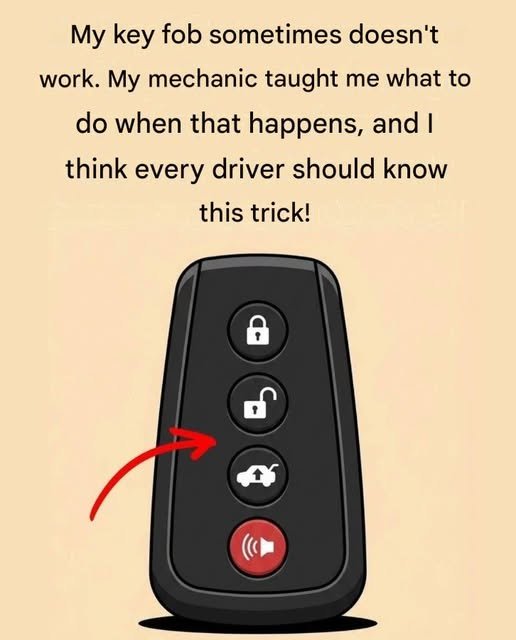
There’s nothing more frustrating than walking up to your car, pressing the key fob button, and… nothing happens. Whether you’re rushing to work, caught in the rain, or loading groceries into your trunk, a non-responsive key fob can quickly become a major inconvenience.
The good news is that a key fob doesn’t always stop working because it’s broken. In many cases, the issue is something simple that you can fix in just a few minutes. Before you assume you need an expensive replacement, try these practical troubleshooting tips.
Why Do Key Fobs Stop Working?
A key fob communicates with your vehicle using a small radio signal. Like any electronic device, it can occasionally experience problems caused by battery issues, signal interference, wear and tear, or environmental conditions.
Understanding the cause can help you get back on the road faster.
1. Replace the Battery
The most common reason a key fob stops working is a weak or dead battery.
Signs your battery may be failing include:
- Reduced operating range
- Buttons working only occasionally
- Having to press the button multiple times
- Complete loss of function
Most key fobs use small coin-cell batteries, such as a CR2032 or CR2025. Check your owner’s manual or the battery already inside the fob to find the correct replacement.
Tip: When replacing the battery, make sure it is installed with the correct polarity (+ and – sides).
2. Use the Hidden Mechanical Key
Many modern key fobs include a concealed metal key inside the case.
If the remote won’t unlock the doors:
- Press the release button on the fob.
- Remove the hidden key.
- Unlock the driver’s door manually.
This feature is especially useful if the battery is completely dead.
3. Start the Car Using the Backup Method
Some vehicles are designed to start even if the key fob battery is dead.
Depending on your vehicle, you may need to:
- Hold the key fob directly against the Start/Stop button.
- Place the key fob in a designated backup slot or compartment.
Your owner’s manual will explain the emergency starting procedure for your specific model.
4. Check for Signal Interference
Radio signals can sometimes be blocked or disrupted.
Possible sources include:
- Cell phone towers
- Airport equipment
- Large electronic displays
- Security systems
- Other wireless devices
If your key fob isn’t responding, try moving a short distance away and test it again.
5. Clean the Buttons
Over time, dirt, dust, moisture, and pocket lint can collect around the buttons.
This buildup may prevent proper contact inside the fob.
Carefully:
- Wipe the exterior with a soft cloth.
- Remove debris around the buttons.
- Avoid soaking the device in water or harsh cleaning chemicals.
6. Inspect for Physical Damage
If you’ve recently dropped the key fob or exposed it to water, internal components may have been damaged.
Look for:
- Cracked casing
- Loose buttons
- Signs of moisture
- Corrosion near the battery compartment
If water entered the fob, remove the battery immediately and allow everything to dry completely before reinstalling it.
7. Try Your Spare Key Fob
If you have a spare remote, test it.
If the spare works normally, the original key fob is likely the problem.
If neither works, the issue could involve the vehicle’s receiver, battery, or electrical system.
8. Check Your Vehicle Battery
Sometimes the problem isn’t the key fob at all.
A weak or dead car battery may prevent:
- Remote unlocking
- Push-button starting
- Electronic locking systems
If other electrical features also seem weak, your vehicle battery may need attention.
9. Reprogram the Key Fob
In some cases, the key fob may lose synchronization with the vehicle.
Certain vehicles allow owners to reprogram the remote by following specific steps outlined in the owner’s manual. Others require a dealership or qualified automotive locksmith to complete the process.
When Should You Seek Professional Help?
If you’ve tried replacing the battery and basic troubleshooting without success, it may be time to consult a professional.
Consider getting assistance if:
- The key fob has visible internal damage.
- Water exposure caused corrosion.
- The vehicle no longer recognizes any key fobs.
- The buttons no longer function even with a new battery.
- Programming repeatedly fails.
A dealership or experienced automotive locksmith can test the fob, diagnose the issue, and, if necessary, program a replacement.
Tips to Keep Your Key Fob Working Longer
A little care can help extend the life of your key fob:
- Replace the battery every few years or when performance declines.
- Avoid dropping the fob on hard surfaces.
- Keep it away from excessive heat and moisture.
- Store it in a safe place to prevent accidental damage.
- Use a protective case if you frequently carry it in a pocket or bag.
Final Thoughts
A key fob that suddenly stops working doesn’t always mean you need a costly replacement. In many cases, a simple battery change, cleaning, or using the hidden mechanical key can quickly solve the problem. By understanding how your key fob works and knowing a few emergency tricks, you can save time, reduce stress, and avoid unnecessary repair costs.
If basic troubleshooting doesn’t restore functionality, don’t force the buttons or attempt complex repairs. A qualified technician or locksmith can diagnose the issue and recommend the safest solution for your vehicle.